TABLE OF CONTENTS
Module: Agent App
How to Log In to the VoiceStack Agent App
You can log in to the Agent App using two methods:
- Old sign-in method
- Single Sign-On (SSO) method
Using the Old Sign-in Method
Here are the step-by-step instructions for signing in using the old method:
- Download and install the Agent App on your system.
Click the click here hyperlink.
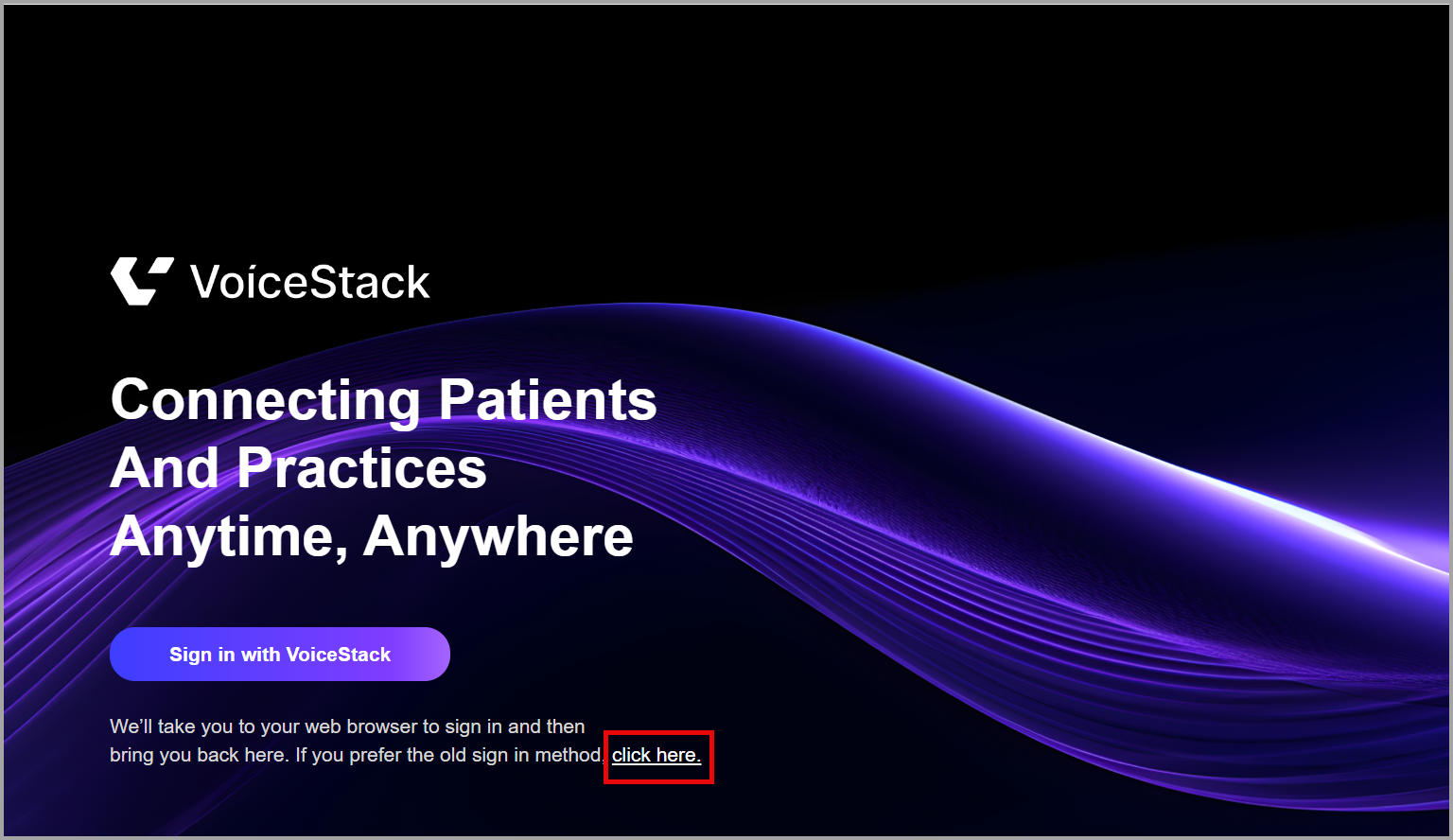
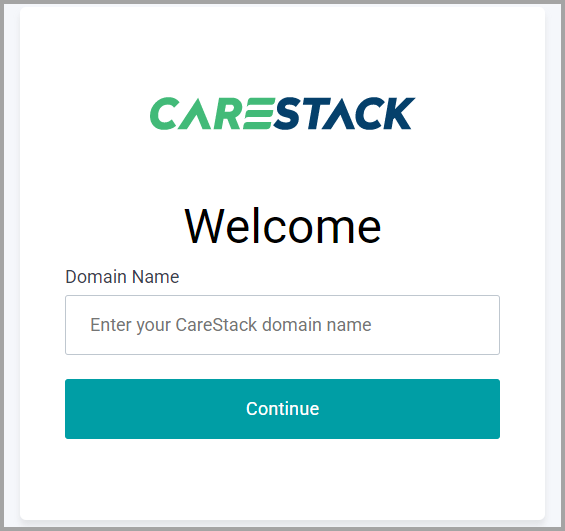
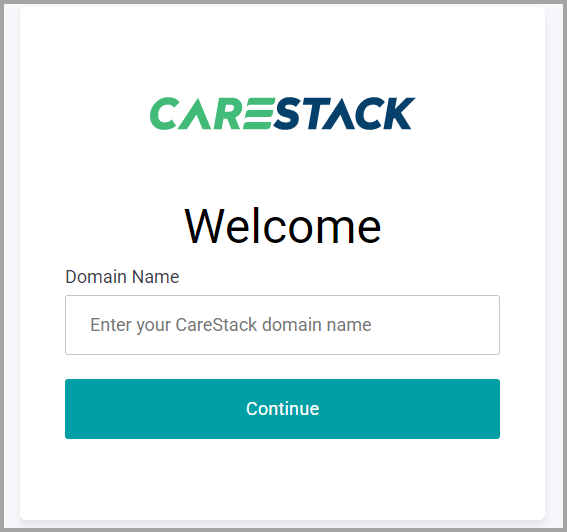
Enter the Domain Name. Click Continue.
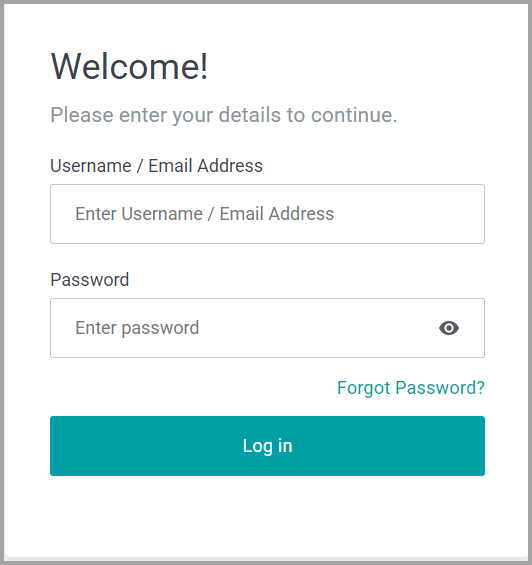
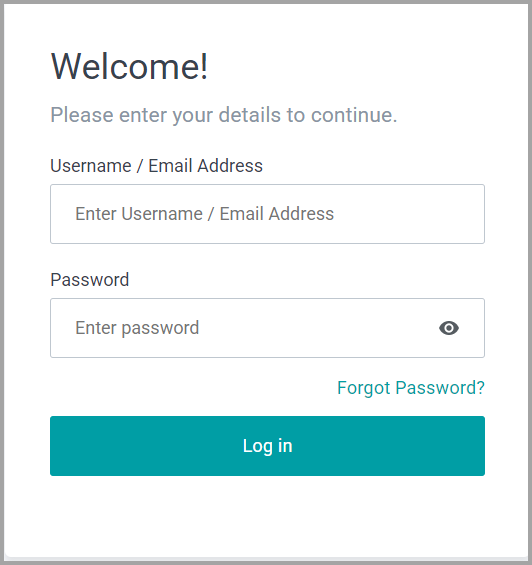
- Enter the Username/Email Address and Password. Click Log in.
You are now successfully logged in to the VoiceStack Agent App.
Using the Single Sign-On (SSO) Method
Here are the step-by-step instructions for signing in using the new method:
Click Sign in with VoiceStack.
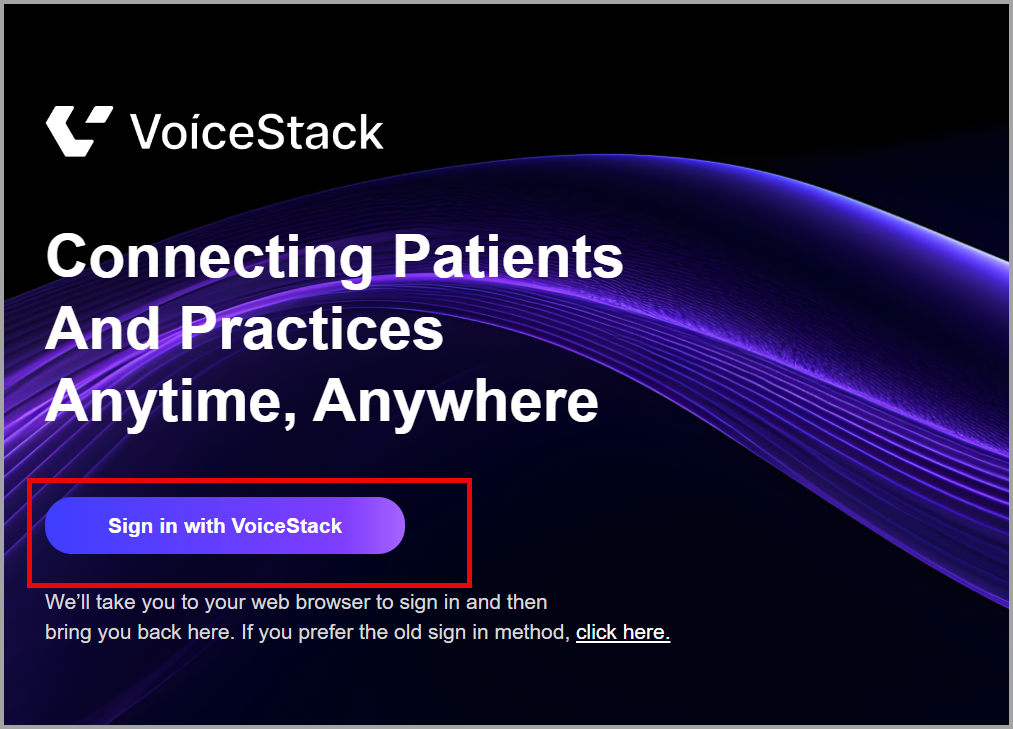
Once the CS VoiceStack website opens, enter the Domain Name. Click Continue.
- Enter the Username/Email Address and Password. Click Log in.
You are now successfully logged in to the VoiceStack Agent App.
How to Log Out of the VoiceStack Agent App
- Click the Profile Icon.
- Click Log out.
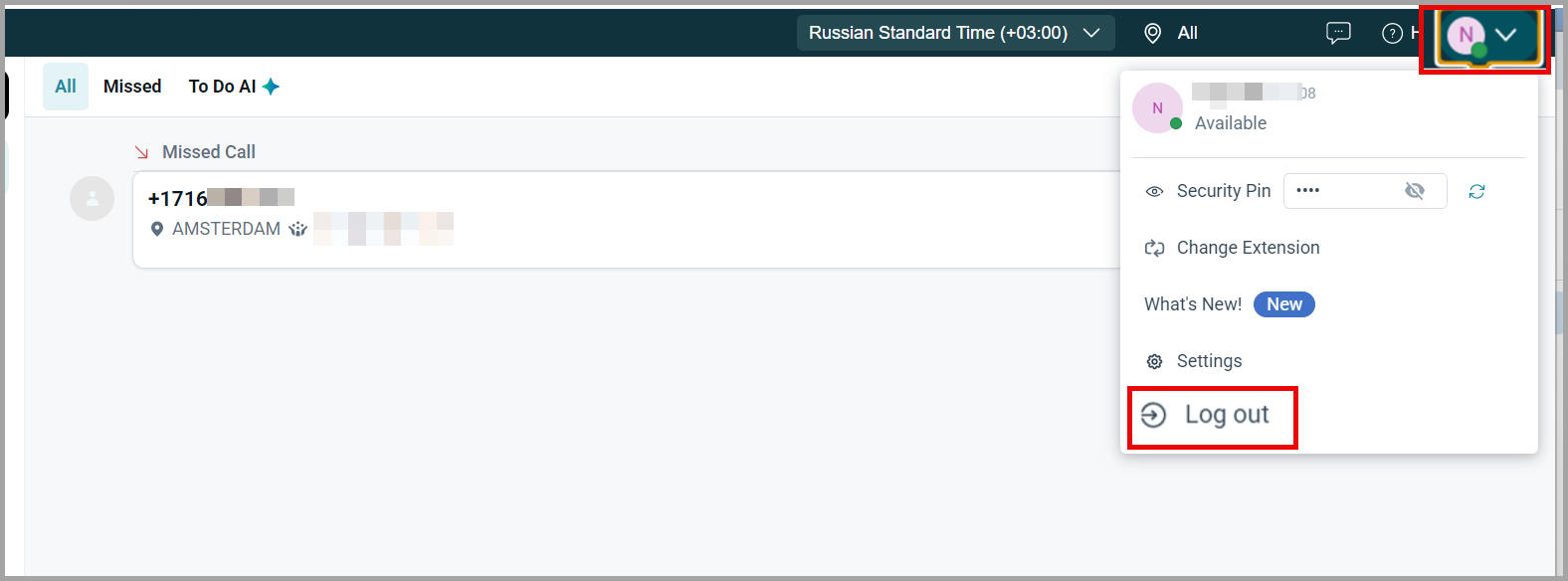
You are now successfully logged out of the app.
| Note: Your account will automatically sign out if you sign in on another system. |
Tips for Agents
- Prefer the SSO login method for a smoother experience and saved credentials.
- Always log out at the end of your shift to ensure session security.
- If switching devices, log out before logging in elsewhere to avoid session conflicts.
- If you forget your password, contact your VoiceStack admin to reset instructions.
For Support
Mail us at support@voicestack.com or call 407-833-6436.
Was this article helpful?
That’s Great!
Thank you for your feedback
Sorry! We couldn't be helpful
Thank you for your feedback
Feedback sent
We appreciate your effort and will try to fix the article