Accessing the Feature
In Admin App:
- Navigate to Configuration > Calls > International Call Rules.
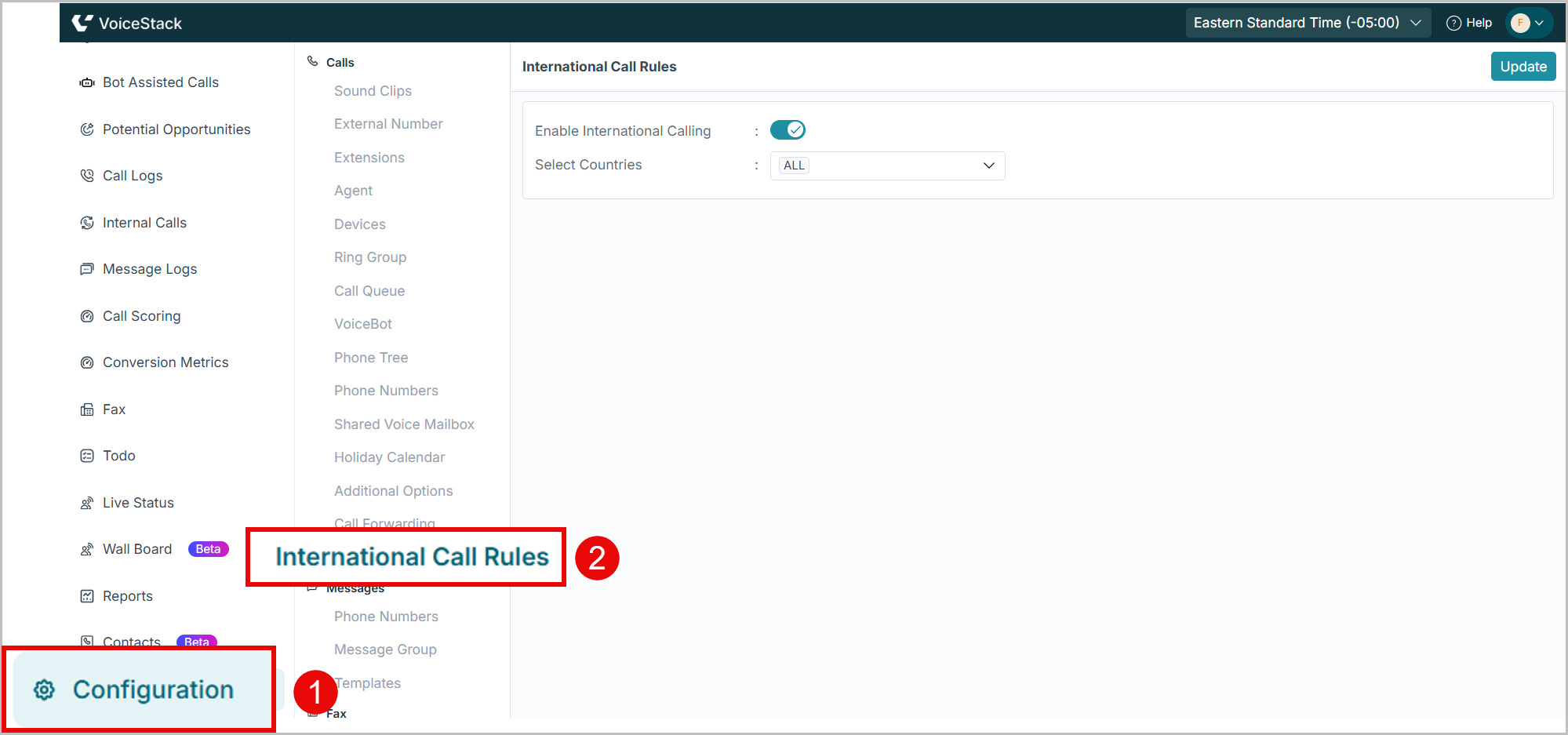
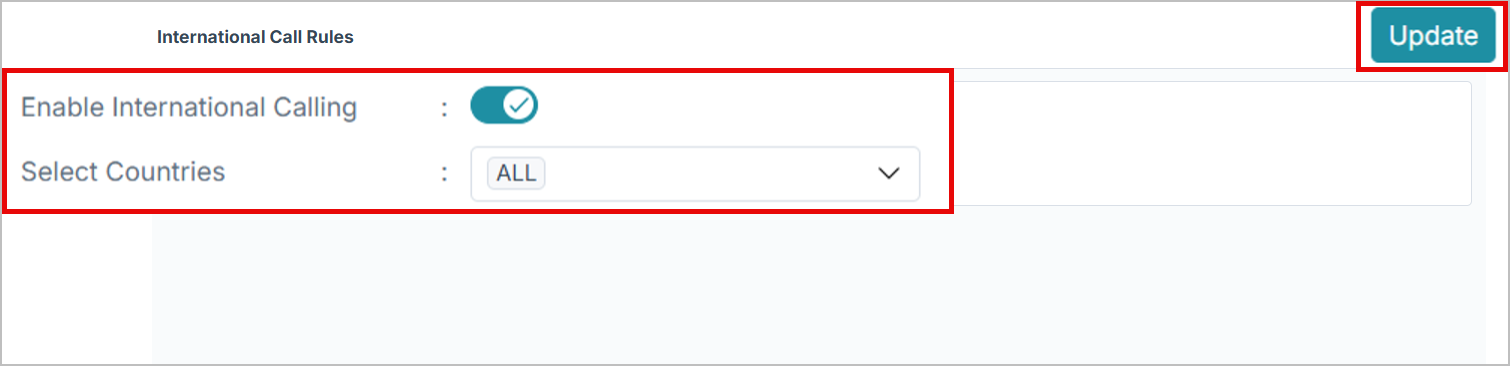
To enable or disable International Calling:
- Toggle Enable International Calling ON or OFF.
- When OFF, agents cannot dial any international number.
To select approved countries:
- Select the required international Countries.
- Select ALL to enable international calling worldwide.
 Agent App
What Agents Will See in the Agent App
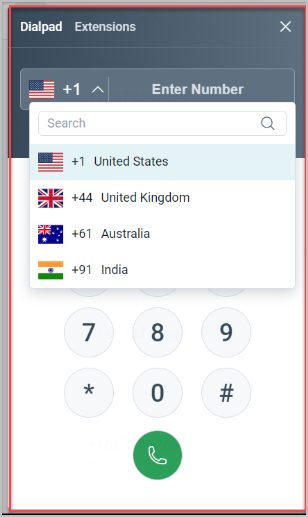
- If international calling is enabled:
- The agent’s dial pad will display a country selector.
- Only the countries you approved will appear in their dropdown.
- Agents can pick a country and the correct country code prefix will auto-populate.
Support
Need further help? Reach out to support at 407-833-6436 or support@voicestack.com.
Was this article helpful?
That’s Great!
Thank you for your feedback
Sorry! We couldn't be helpful
Thank you for your feedback
Feedback sent
We appreciate your effort and will try to fix the article