TABLE OF CONTENTS
How DNI Works
- A visitor lands on your site.
- A script detects the traffic source (e.g., Google Ads, Organic Search, Social).
- The script replaces your main phone number with a unique tracking number.
- When the visitor calls, the platform logs the call against that campaign/source.
Create a DNI Campaign
1. Navigate to Configuration > General Settings > DNI Campaign.
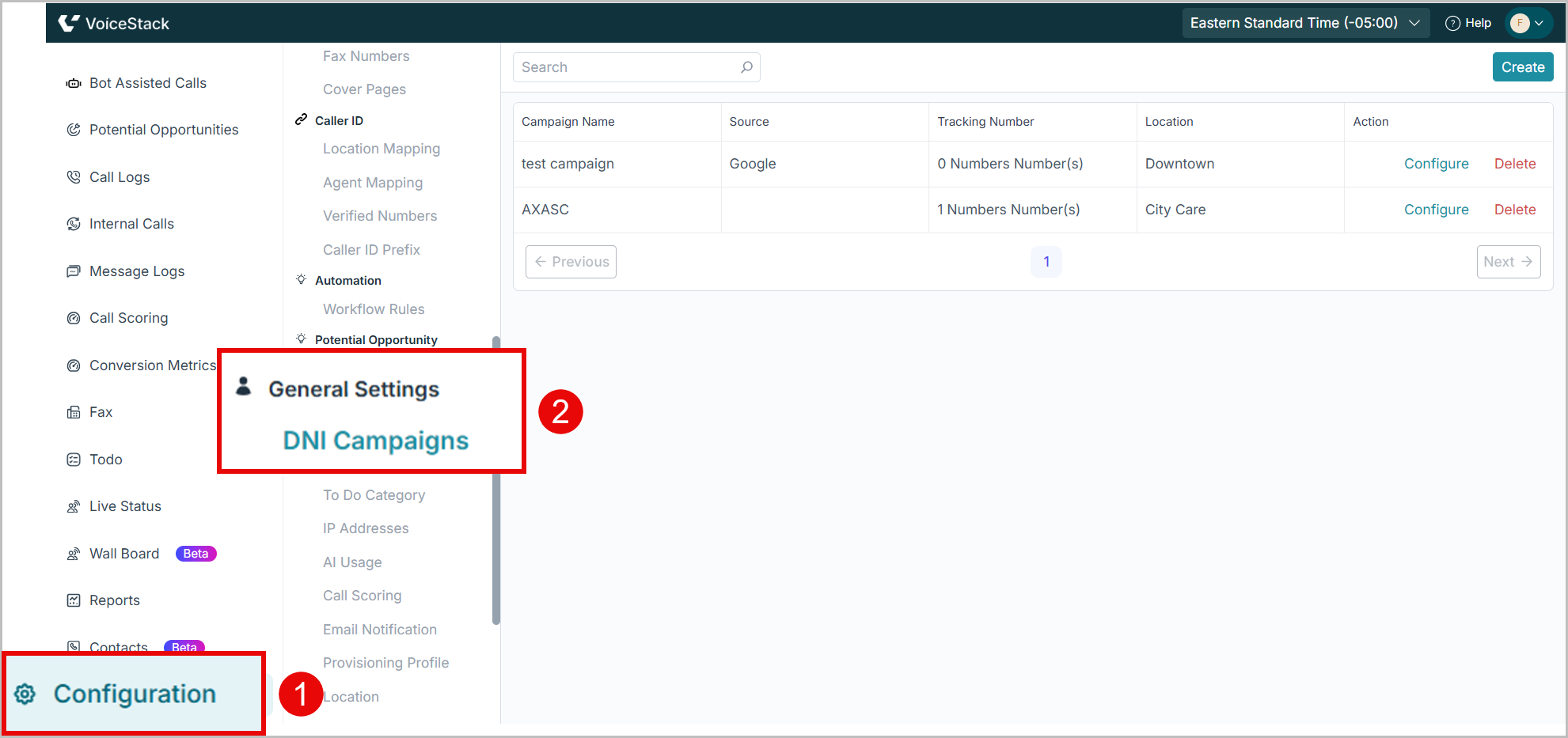
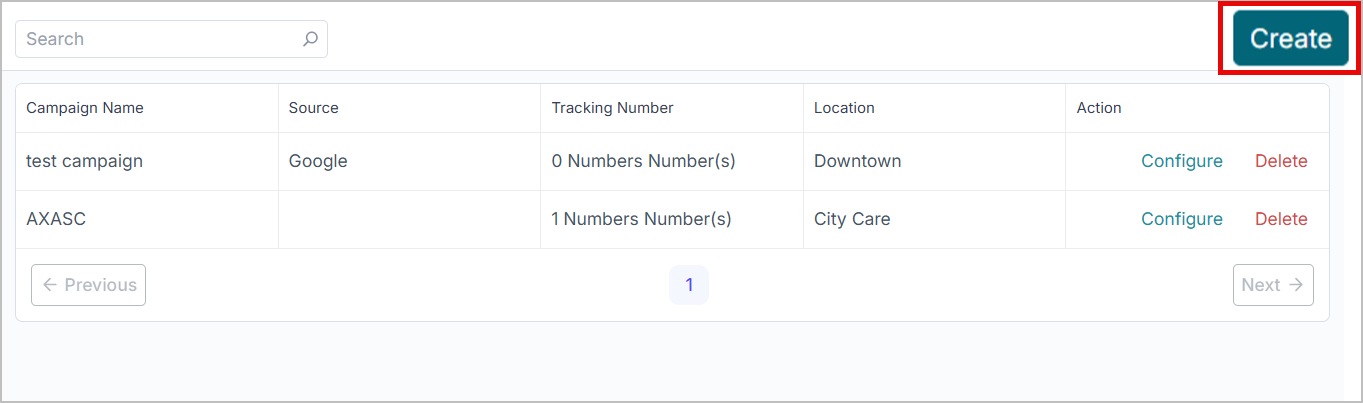
2. Click Create.
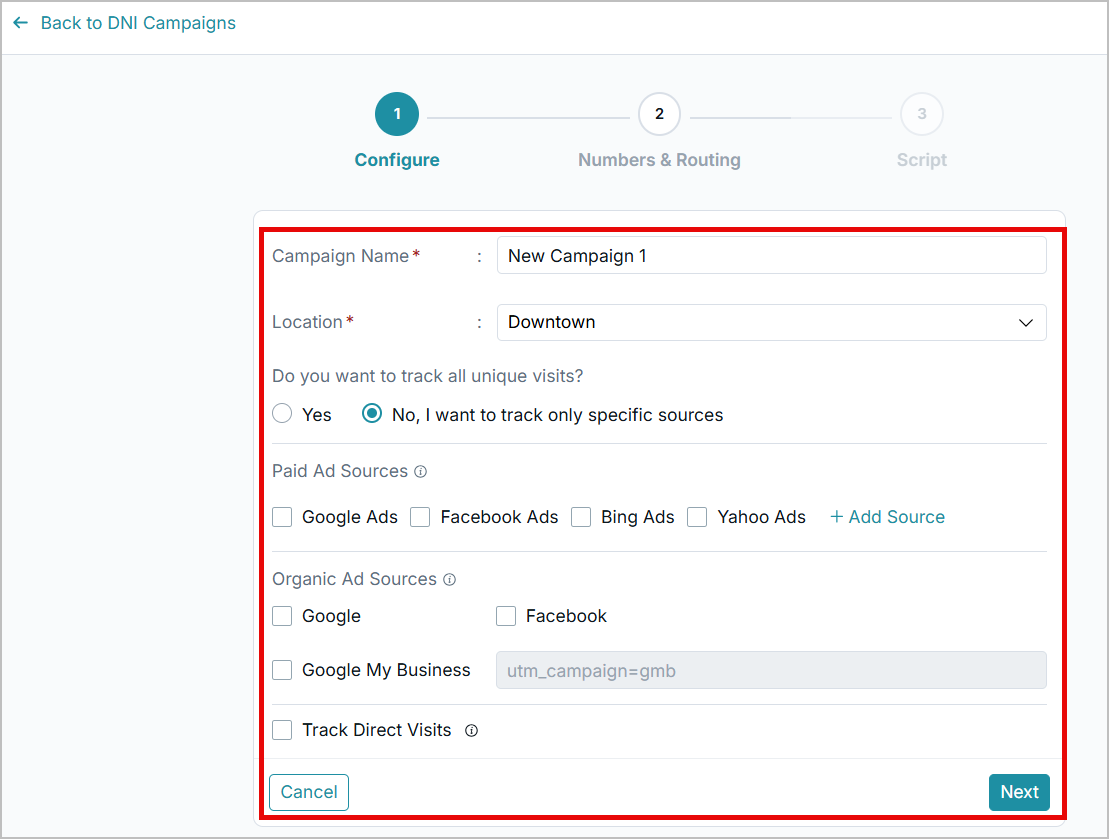
3. In the Configure step, enter the following information.
- Campaign Name: Enter a suitable name for the campaign.
- Select the Location where you want to run the campaign.
- Do you want to track all unique visits? Select Yes to track all unique visits. If you select No, specify the sources to track.
- Paid Ad Sources: Refers to any traffic, leads, or phone calls that come from advertising channels you pay for. Checkmark the suitable items. Click +Add Source to add new ones.
- Organic Ad Sources: Traffic or leads that come to your business naturally, without paid advertising.
- Track own visits.
4. Click Next to continue.
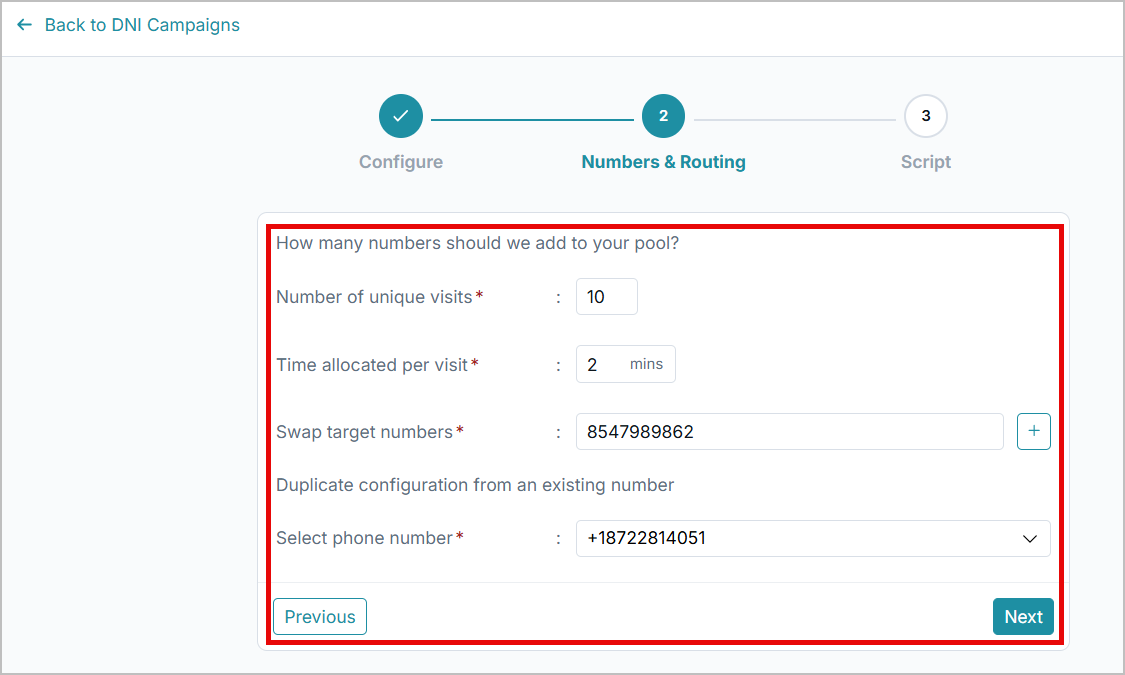
5. In the Numbers & Routing step, enter the following information:
- Specify the Number of unique visits.
- Enter the Time allocated per visit in minutes.
- Enter the Phone numberto swap.
- Click on the + icon to add more numbers.
- To duplicate configuration from an existing phone number, select the suitable number in the system.
6. Click Next to continue.
7. You will get a java script to copy.
8. Copy the script and paste it into the target website to run the campaign.
Track DNI Data
To track DNI calls:
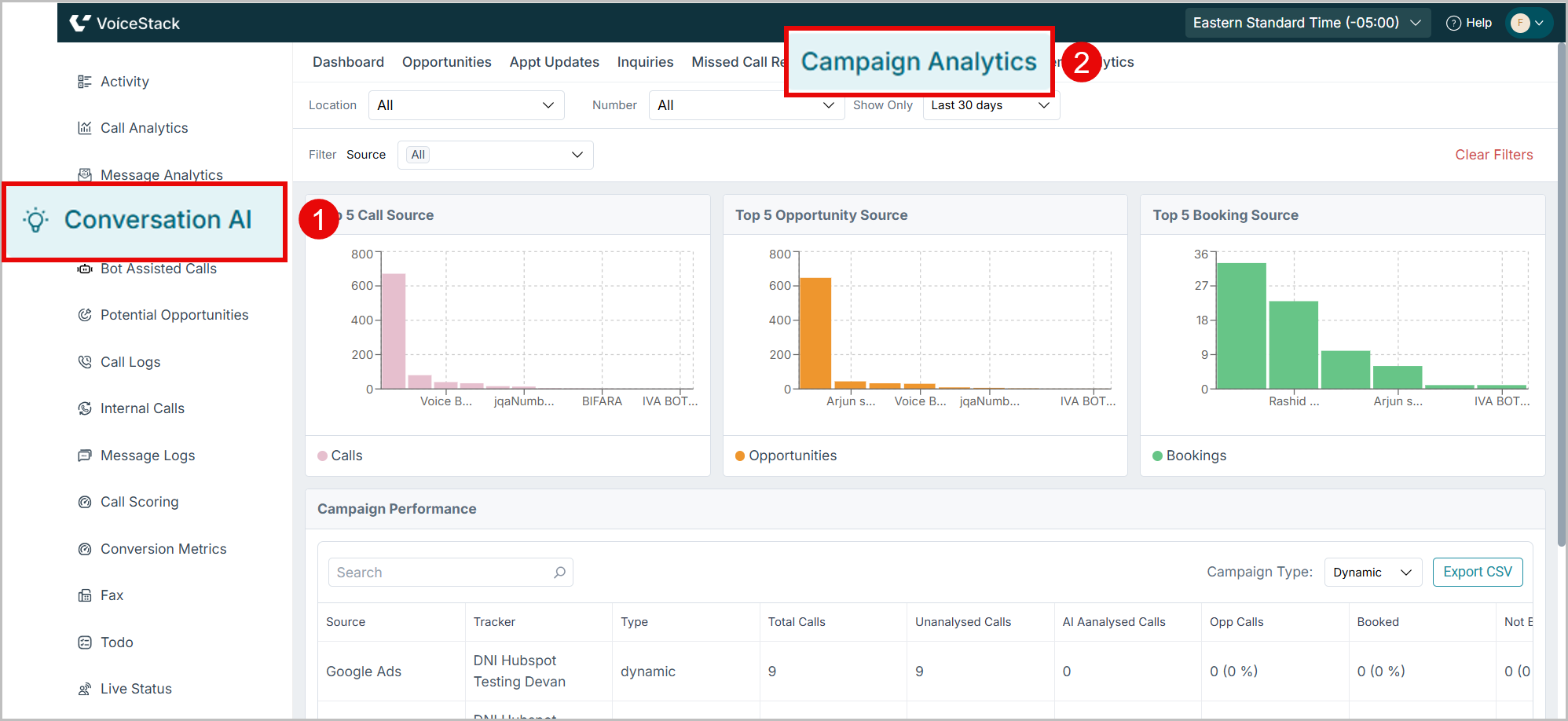
- Navigate to Conversation AI > Campaign Analytics.
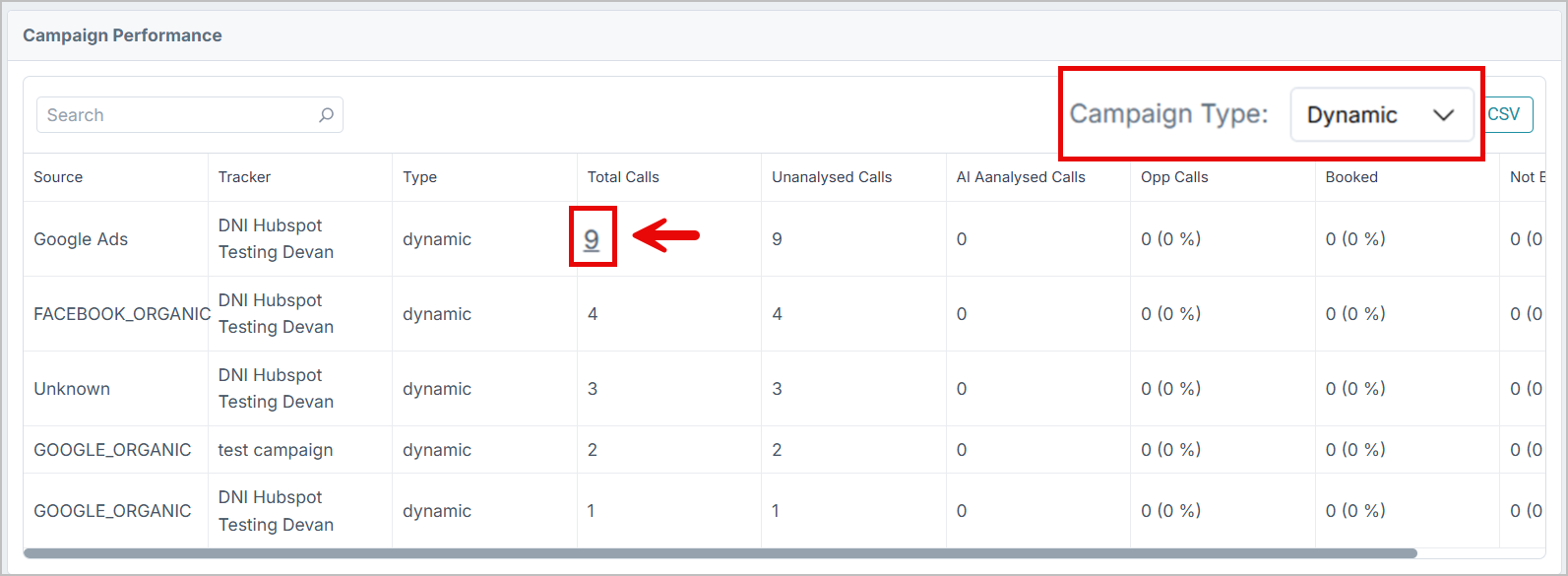
- Select the Campaign Type as Dynamic.
- For detailed call information, click on the number on the Total Calls column for the intended Source.
Benefits & Use Cases of DNI Campaigns
- Track ROI of ad spend
- Know which campaigns generate phone leads
- Improve keyword bidding
- Attribute revenue to the correct source
- Reduce wasted marketing budget
- Understand customer behavior
- Optimize landing pages
Was this article helpful?
That’s Great!
Thank you for your feedback
Sorry! We couldn't be helpful
Thank you for your feedback
Feedback sent
We appreciate your effort and will try to fix the article